
E-Safety & Safeguarding
At Riverside, we believe that E-safety is a critical part of protecting the wellbeing and safety of our pupils online. We believe it is important for us to work in partnership with you as parents and carers, to keep pupils safe online.
Please click the links below for some useful E-Safety advice and resources:
- Mobile phones and online safety (NSPCC)
- Help you identify what you can or cannot trust when you go online.
-
'What I wish my parents or carers knew…': a guide for parents and carers on children's digital lives (Children's Commissioner)
The Children's Commissioner, Dame Rachel de Souza, has published a guide to help parents and carers navigate the challenge of managing children's everyday online habits. Written with direct input from children and young people, including teenagers consulted in schools and the Commissioner's Youth Ambassadors. The guide is designed to make difficult conversations easier and more regular.
The guide covers setting boundaries around phone use, talking about harmful content, and building ongoing communication that goes beyond a one-off conversation. The voice of young people runs through it, including this from one teenager: "Don't be afraid to be firm… If you are worried your child is seeing harmful content, and you don't know what they're watching, and it's affecting their behaviour, just take it that you know best, they don't."
For DSLs, this is a practical resource to share with parents and carers, particularly at transition points or where online harms are presenting in school. Four versions are available to download: the main parent and carer guide, an activity pack for children, and print-ready single-page versions of both.
The downloads can be found here:
https://www.childrenscommissioner.gov.uk/resource/what-i-wish-my-parents-or-carers-knew-a-guide-for-parents-and-carers-on-managing-childrens-digital-lives - Are you worried about online sexual abuse or the way someone has been communicating with you online? Make a report to one of CEOP's Child Protection Advisors.
- How to set Internet Parental Controls (NSPCC)
- Nintendo Switch Parental Controls - All tech devices come with parental controls, but they're not always easy to find or understand and can differ quite significantly from device to device. The Nintendo Switch, which is a very popular device, has a range of parental controls, such as browser access, restricting games based on age, chat settings and more and more.
- Managing Screen Time - Guidance about helping their children to develop a healthy relationship with technology. Internet Matters have a series of tips and guides to help with this including setting up parental controls, finding other activities to do, agreeing on boundaries and more.
- Little Digital Helps Toolkit - This is a really useful toolkit for anyone who may be unsure about what parental features are available on their children's devices. Put together by Internet Matters and Tesco it takes around 8 minutes to answer a few questions and then receive a tailored toolkit.
- Safer Internet Organisation - Key questions around ensuring the internet is a place, and signposting for answers. It hard to keep up with all the changes!
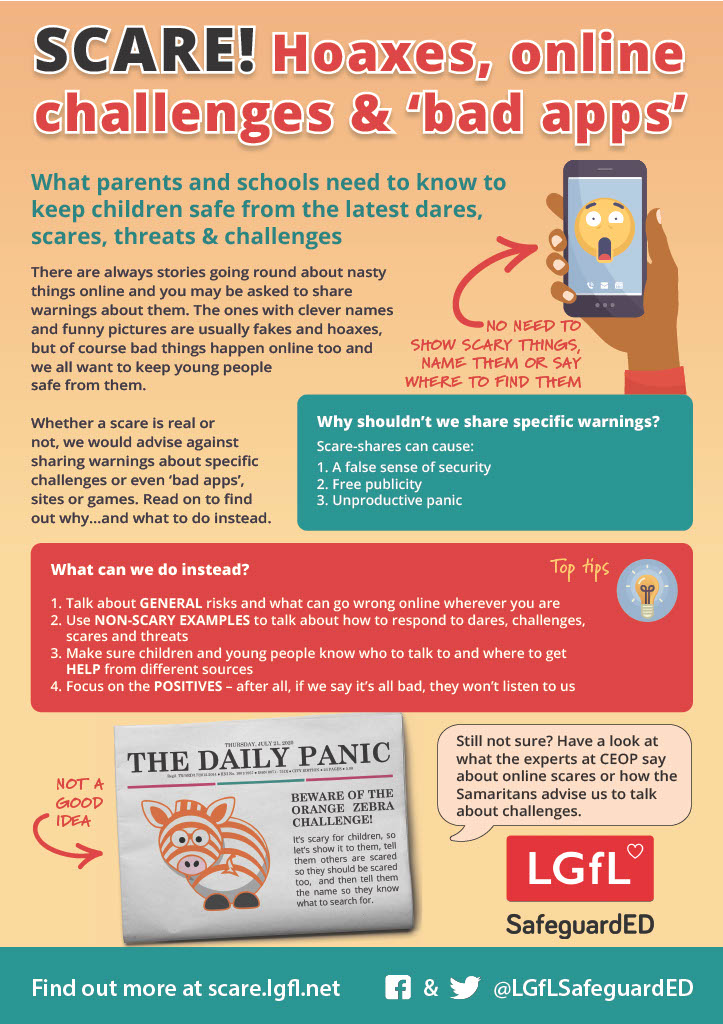
- LGFL.net - The Parent safe site, keeping your children safe online and beyond.
- Internetmatters.org - Supporting children and young people with SEND online
- Roblox Checklist 2023 - Roblox is one of the most popular games out there. Roblox and SWGfL have collaborated together and created a checklist which includes:
- How to report abuse.
- How to block users.
- Setting up a parent control pin.
- And more.
- Parent Guide to TikTok
- Swoosh and Glide - a series of 4 story puzzles to get the conversation going whilst showing the children how to use digital technologies in a safe and positive way
- Safer Internet Resources